2024 • 6 months
Design system for Data Embassy
A design system is a set of standards to manage design at scale by reducing redundancy while creating a shared library and visual consistency.
Design system
Libraries
Figma
Components
Overview
Company
Anonos is a global company specializing in privacy and data protection technologies. It helps organizations worldwide securely manage sensitive information while meeting strict regulatory requirements, including GDPR, HIPAA, and other data protection standards.
Project
Creating a design system for the Data Embassy platform to ensure visual consistency, speed up interface development, and simplify working with sensitive data under strict security and privacy requirements.
Role
Product Designer
Tool
Figma
Platform
Web
Team
Product manager
2 Frontend developers
The Challenge
When I joined Data Embassy as the sole designer, I immediately took on full responsibility for the product’s visual direction. There was no team, no mentor — just me and a collection of disconnected mockups. It quickly became clear that a structured and scalable design system was essential to move forward and support future growth.
The Problem
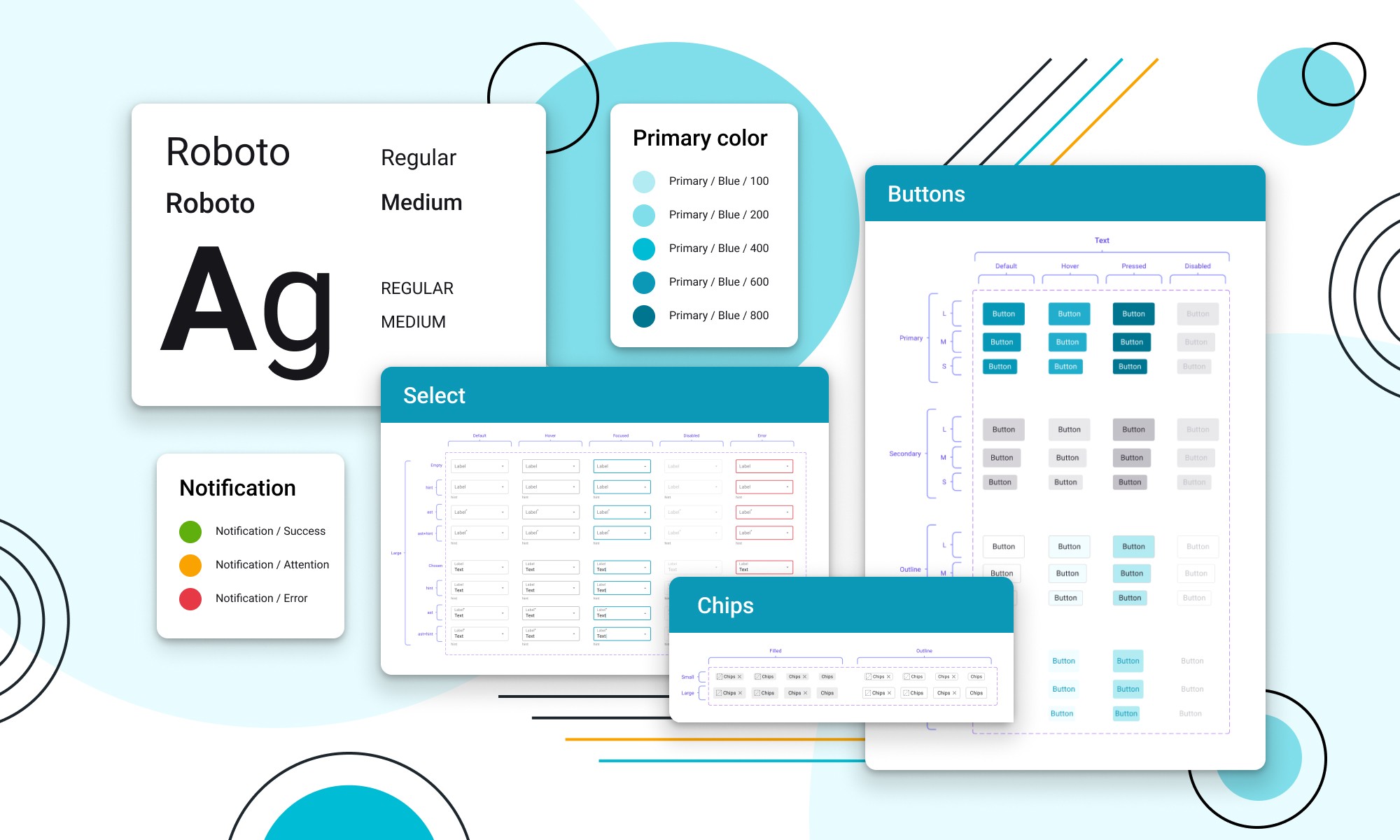
At the start, the platform was a collection of screens with no consistent approach. Components weren’t reused, structure was lacking, and mockups didn’t match the final code. This created confusion and slowed down the workflow. It was clear: without a systematic approach, scaling the project would be impossible.
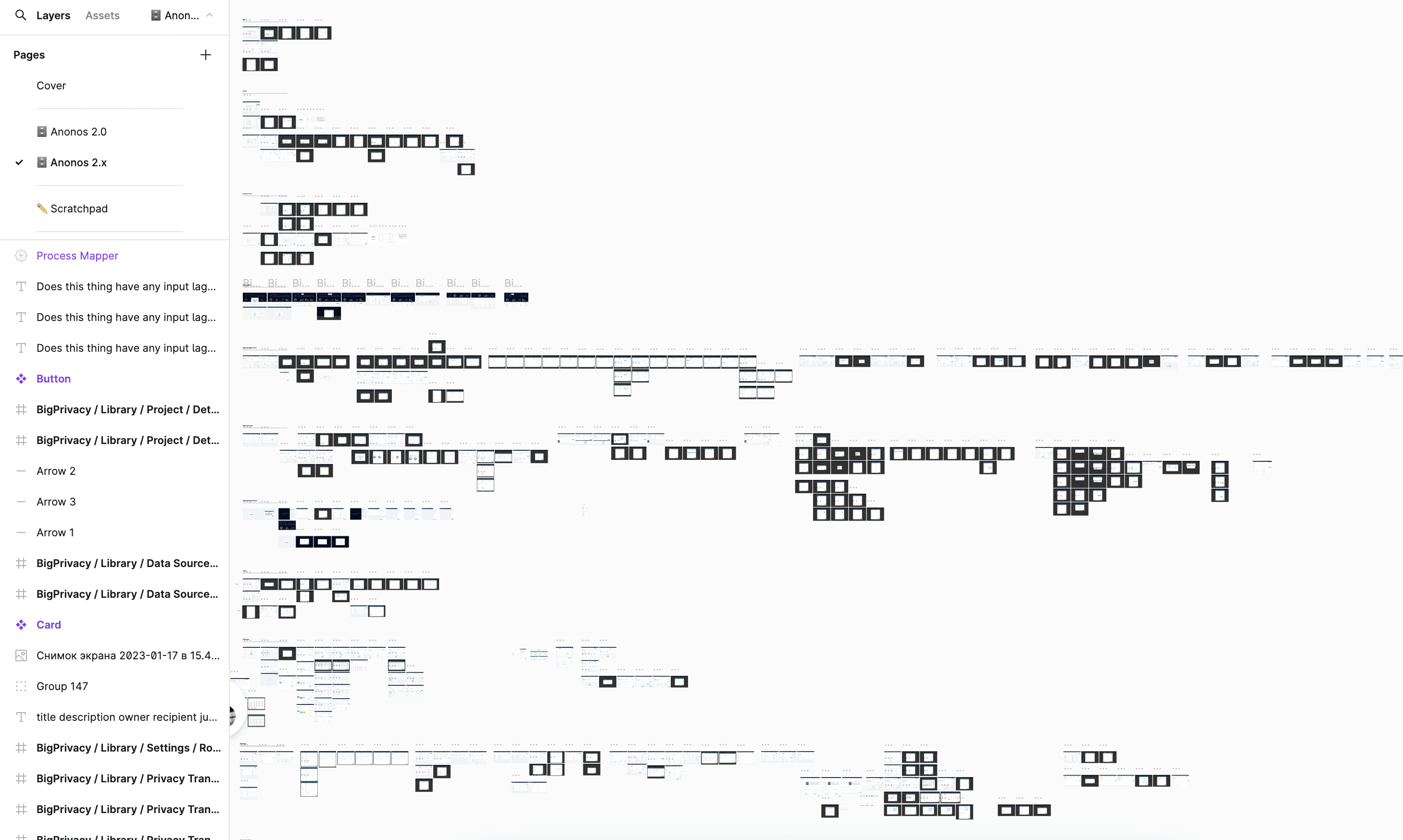
What the platform looked like when I joined the company. 500+ screens on one page
Discovery
To understand the scale of the problem and identify inconsistencies, I conducted a full audit of the platform. The analysis revealed major gaps between the mockups and the actual implementation. Buttons, icons, and styles varied widely across screens, leading to poor maintainability and a fragmented user experience.
I had some prior experience with design systems, so I built on Atomic Design principles. I studied design systems from companies like Apple and Google for inspiration. Together with developers and a product manager, we compiled a list of current components and identified new ones needed for upcoming projects.
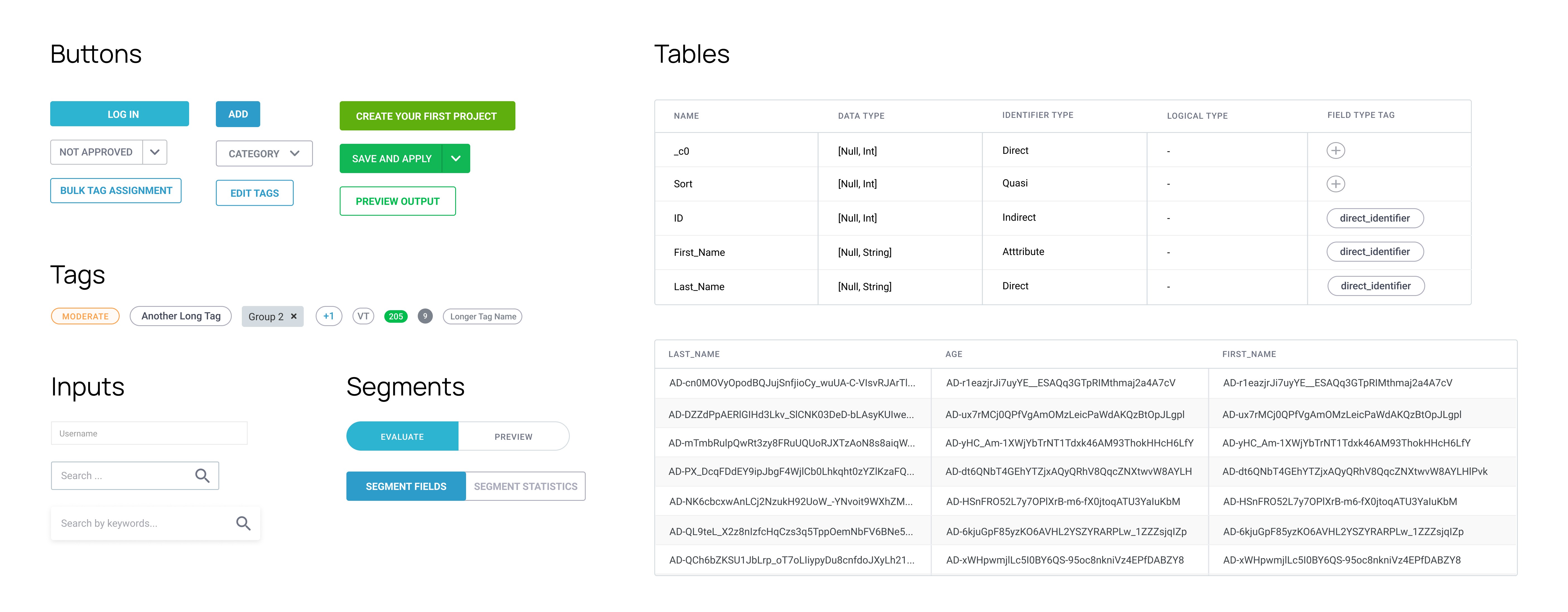
Many sizes, colors and types of buttons
Approach & Process
After analyzing the current state of the product, it became clear that building a design system required a comprehensive approach. I broke the process down into stages — from defining the core visual elements to constructing a full component library that covered all possible interaction scenarios. This helped transition from chaos to a structured system that could be scaled and maintained over time.
🔮
Foundations
I started with the basics: color palette, typography, grid, spacing, buttons — all the atomic elements. From there, I moved on to more complex layers: molecules, organisms, templates, and pages.
🤯
Component Library
All components were built from scratch with a focus on scalability and reuse. Nested components and properties made it easier to manage variations and maintain consistency.
🥨
Scenarios and States
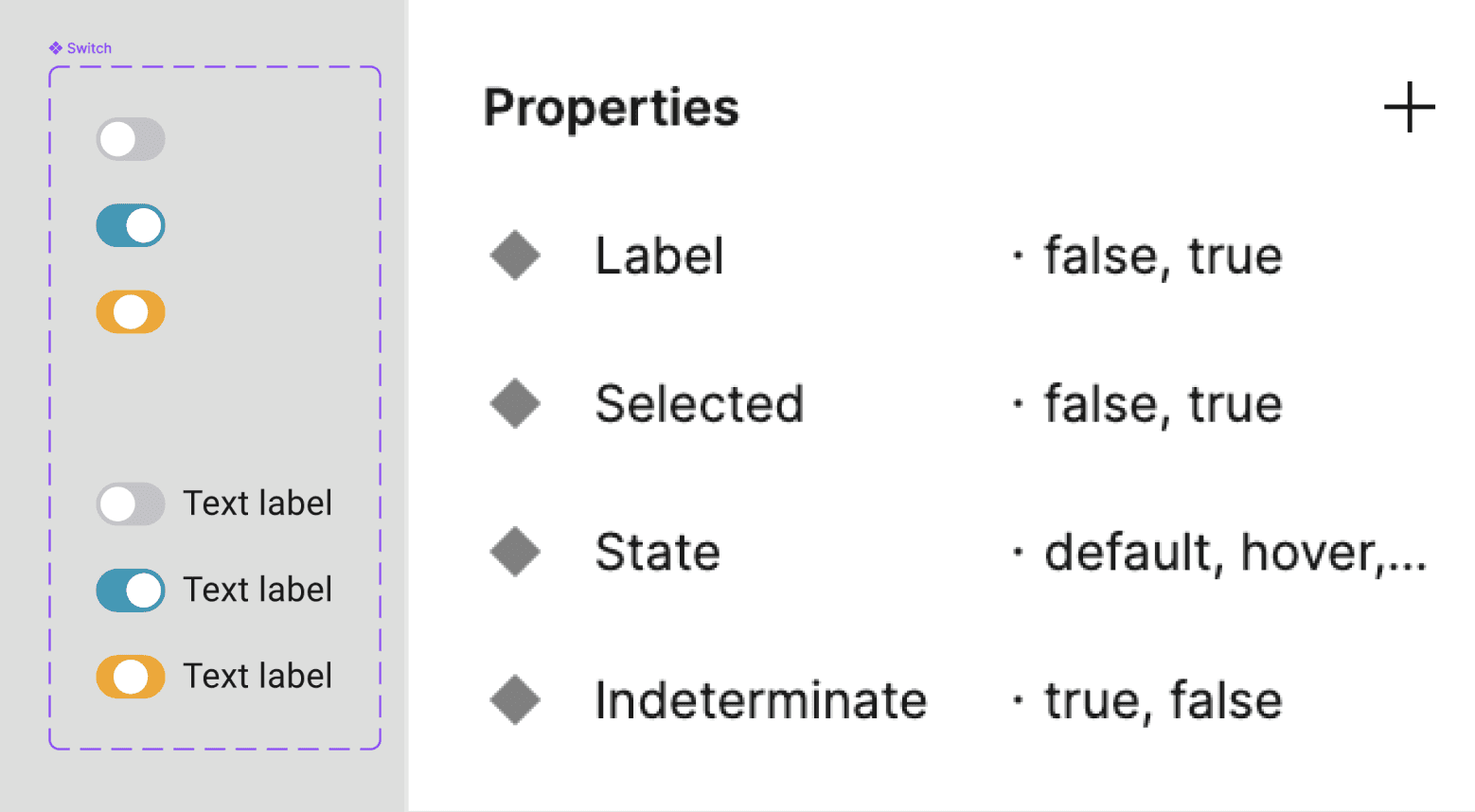
I aimed to cover all possible states — hover, focus, filled, error, and disabled. Using Figma’s Variants feature, I grouped these states into flexible, easy-to-configure components.
Variants feature
Following atomic design principles, using nested components and component properties to simplify variants has helped me keep the elements scalable. It is still a constant learning curve to determine which components will be needed for reuse and which will be needed for special cases.
Component Library
Once the Figma components were approved, I collected them into a Components file, a shared library of assets that the development team could use when working on the system.
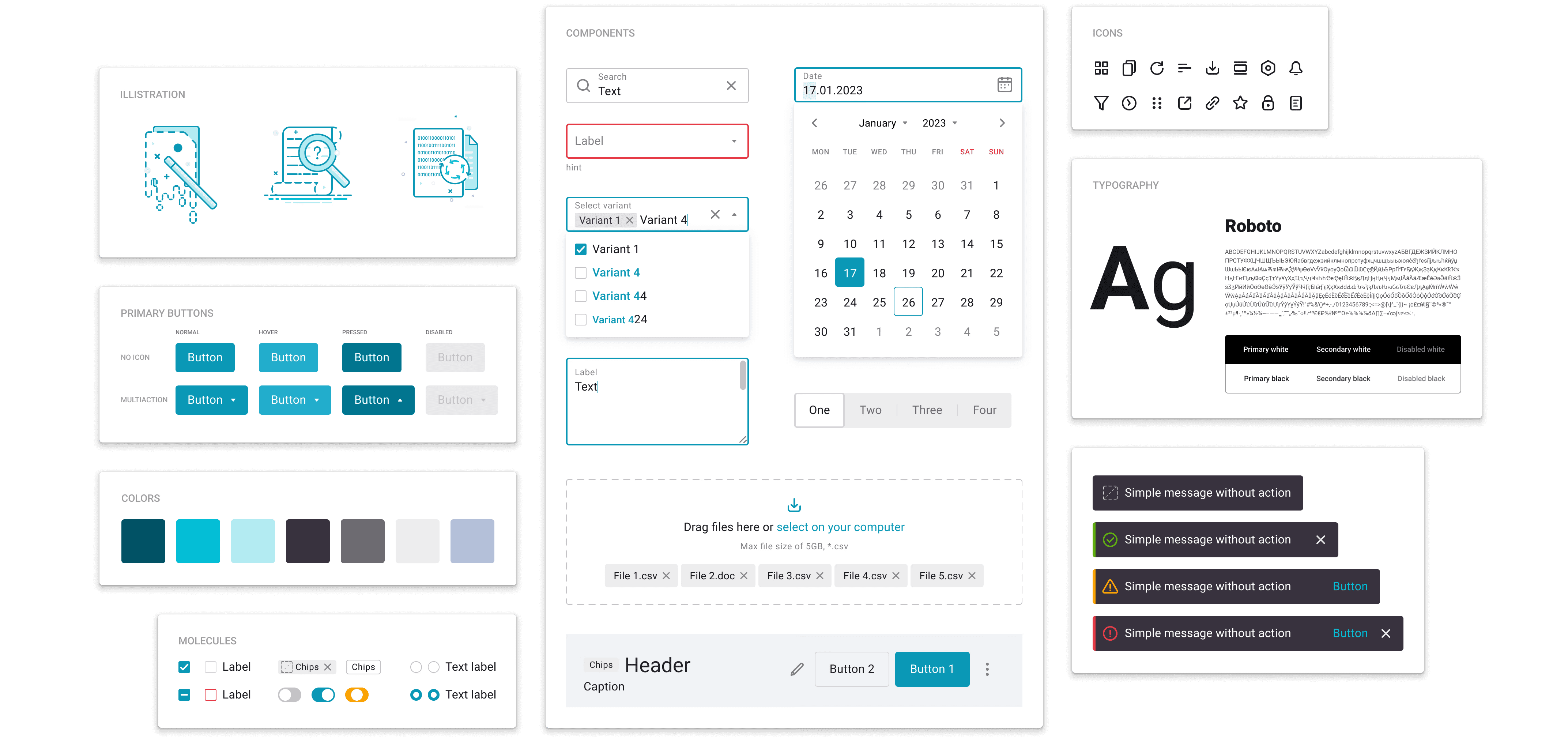
This is only a small part of all the components that were created for the system
Documentation & Structure
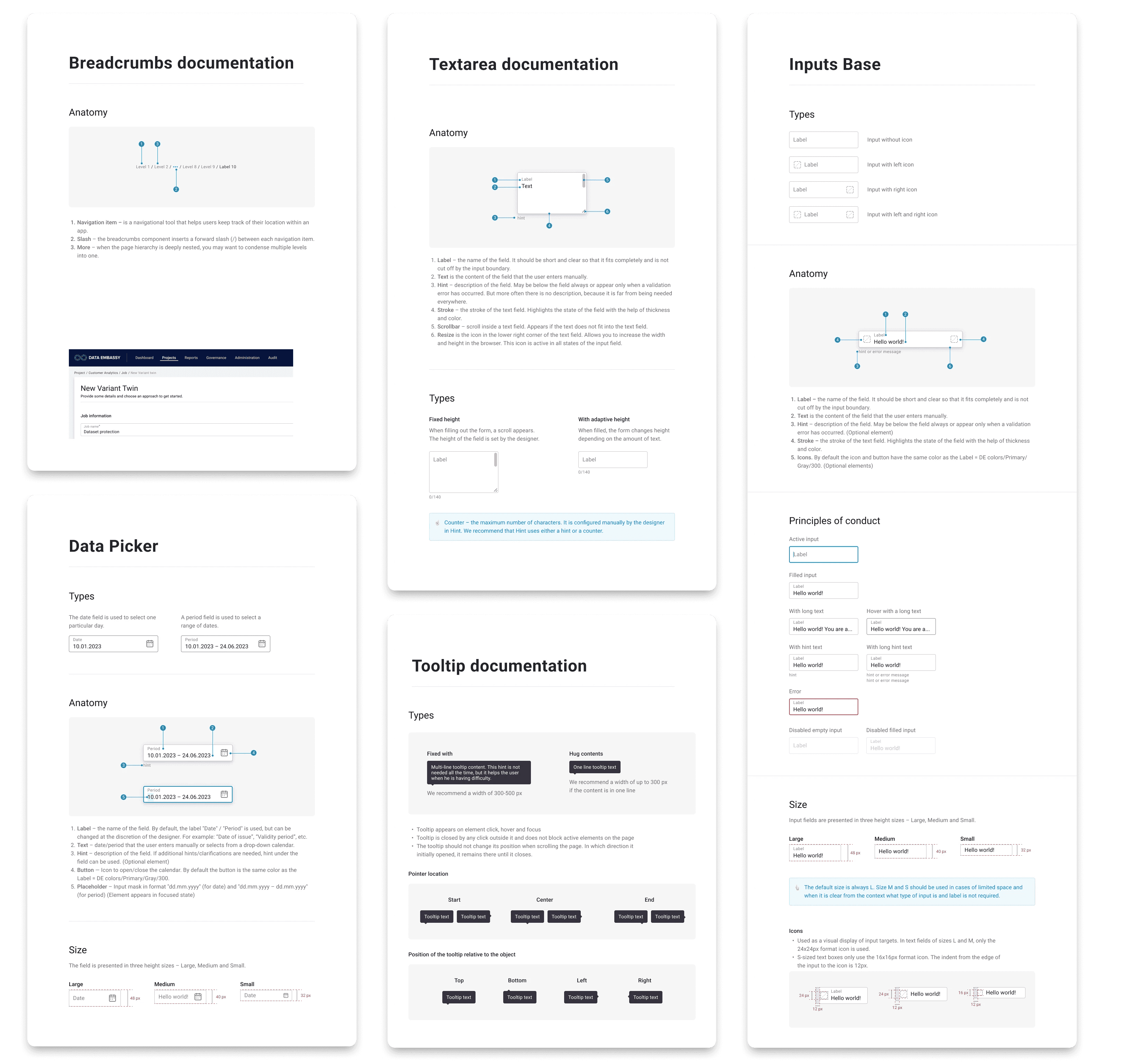
All documentation was placed directly in Figma next to each component for quick access. It included:
Naming — clear, unique names to align designers and developers.
Component States — default values and state options.
Annotations and Explanations — to clarify purpose and use.
Examples — component use in different scenarios, including “do/don’t” guidelines.
Usage Rules — best practices for consistency across interfaces.
Results
The design system is still evolving, but it’s already delivering measurable results.
Within six months, we had built a solid foundation: core components, structure, and documentation. This brought clarity and sped up the design and development process. The system is now in active use across new projects. The system has proven its value and continues to scale with the product.
Impact:
Faster interface creation thanks to reusable components
Fewer revisions during QA
Improved communication between design and development
Stronger visual and functional consistency
Reduced errors and duplication
🔮
Single source
of truth
One place for all components
📐
Scalability
Changes apply across all projects
🔬
Focus on problem solving
Less time on routine visuals
🏎️
Faster
prototiping
Quicker design and testing
Conclusion
The full redesign of the platform was completed in less than a year — largely thanks to the design system, which provided a clear structure and efficient tools for the team.
The system transformed not just the design process, but also collaboration. It became a living foundation for growth, quality, and speed — one that evolves with the team and the product.
Other Projects

Design Leadership
Grew the team, built a design community, and led design operations across 50+ internal products.